Local Business Website Call to Action: Call, Book or Quote?
Choosing a local business website call to action: call, book, quote or join, with a real example of each and how to label the button.
7 min read
The most important decision on a local business homepage is usually made last and thought about least: what the main button says. A surprising number of sites duck it entirely and settle for “Contact us”, which asks the visitor to work out the next step themselves. Getting the local business website call to action right means deciding what you actually want people to do, and that depends on what they need.
This guide is about that decision. Not where the button goes or what colour it is, but which action it should be: call, book, ask for a quote, or something else. Four real sites from the gallery show four different answers, and why each one fits the business behind it.
Three questions that decide the button
Before choosing a label, ask three things about the business and the person landing on the site.
How urgent is it? Someone with a burst pipe or a broken tooth wants a human, now. Urgency favours the phone.
Is it routine? A table for two on Friday, a haircut, a physio session: these are fixed lengths in a calendar, and a visitor can pick a slot without help. Routine favours online booking.
Does the customer need a conversation first? Complex, expensive or personal jobs, like tax work, building work or cosmetic treatment, usually need questions answered before anyone commits. That favours a quote or a consultation.
Put those together and most local businesses land on one of four main actions:
| Main action | Best when | Typical businesses |
|---|---|---|
| Call | Urgent, or needs a quick human answer | Emergency trades, locksmiths, urgent dental |
| Book | Routine, fixed-length, slot-based | Restaurants, salons, clinics, physios |
| Quote or consultation | Considered, priced per job, needs questions answered | Accountants, builders, cosmetic clinics, solicitors |
| Join or visit | A commitment that people like to see first | Gyms, studios, clubs |
The examples below each show one of these.
Book: Aria
Aria
Restaurant
Made with CustomCaptured
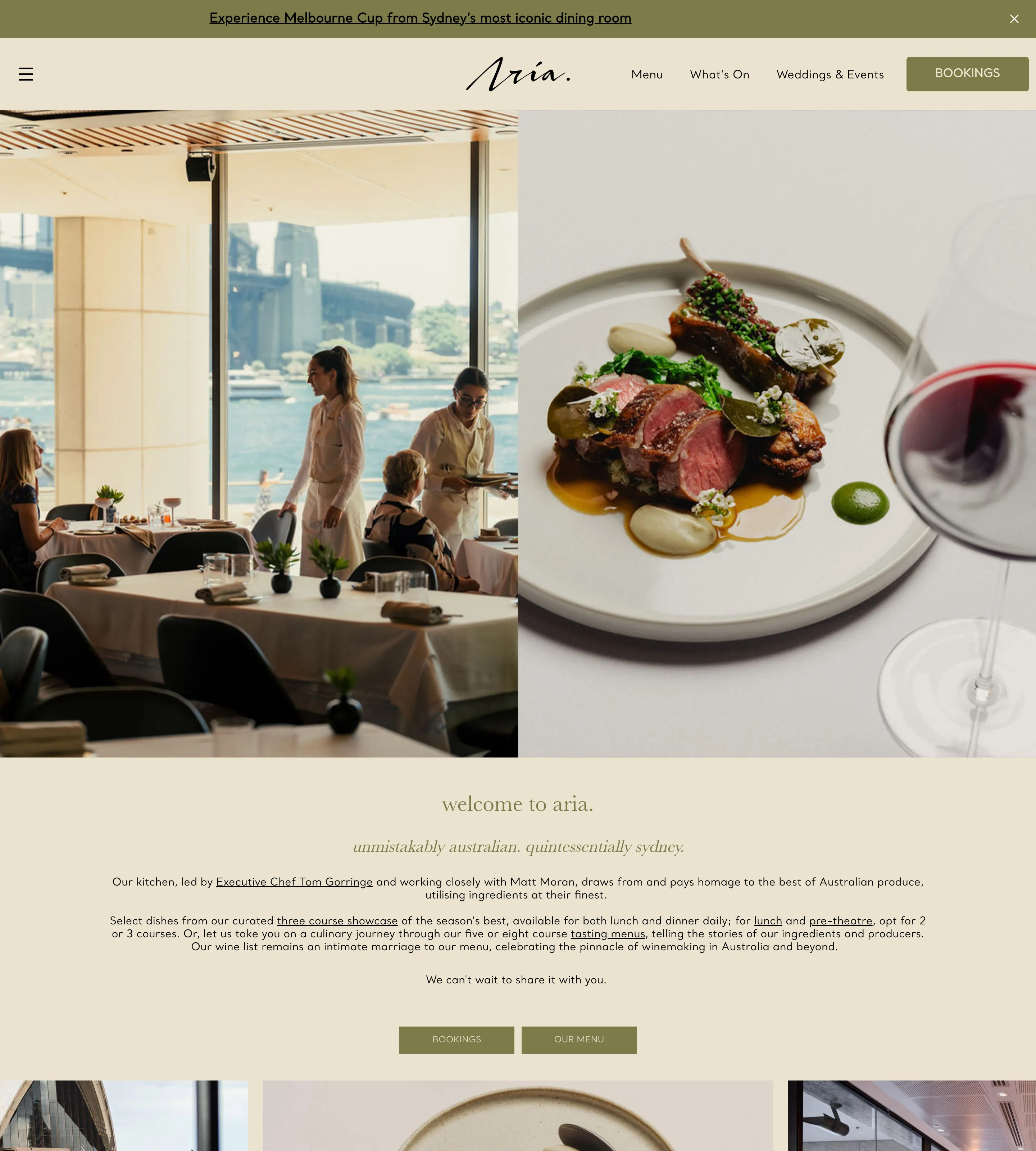
A table at a restaurant is the definition of routine: a date, a time, a number of people. So the restaurant’s main action is booking, and the site never lets you forget it. A solid “Bookings” button sits on the right of the header, the only filled button in the navigation. After the short welcome text, two small buttons sit side by side, “Bookings” and “Our menu”, which are the two things a diner wants next. And near the end, a “Reservations” column with a “Make reservation” button closes the page.
What makes this work is consistency. The label is the same word every time, and nothing else on the page competes with it. A diner who wants the menu first can get it, but booking is clearly the main road.
Takeaway: If the service fits a calendar slot, make booking the main action and use the same label for it everywhere on the page.
Book first, call second: Madison Park Dentistry
Madison Park Family Dentistry
Dentist
Made with WordPressCaptured
A dental practice sits between routine and personal. Most visits are routine check-ups that can be booked online, but some patients are anxious, have insurance questions or are in pain, and want to talk to someone. This homepage handles both without blurring them.
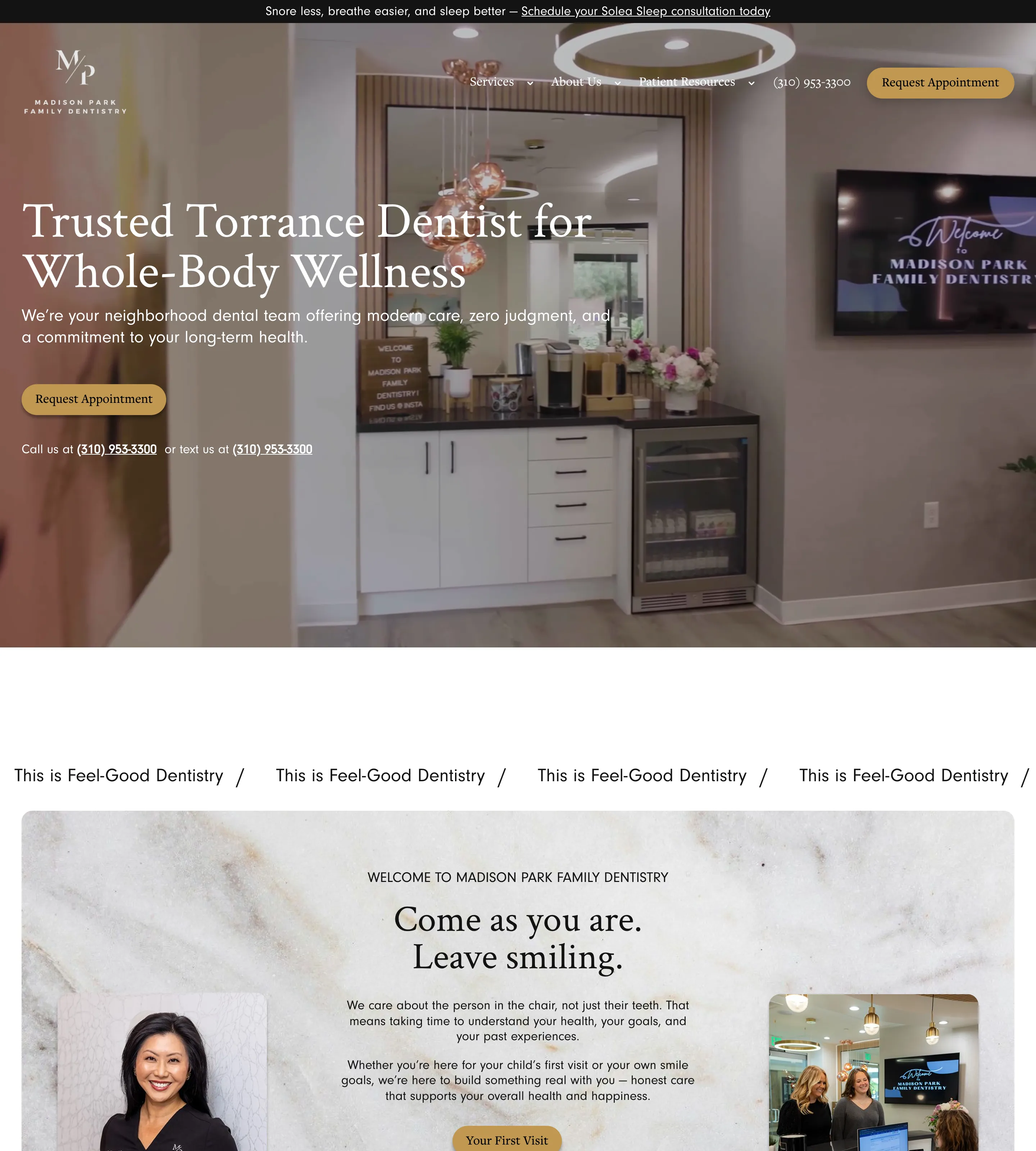
The main action is a gold “Request Appointment” button, in the header and again in the hero. Directly below the hero button, in small text, is the fallback: “Call us at” the number, “or text us at” the same number, both underlined as links. The phone number also sits in the header as plain text beside the main button. It is a textbook hierarchy: one solid button for the main action, and the alternatives present but visibly quieter.
The text option is a nice touch. For a patient who does not want to make a phone call, it is a third way in that costs nothing to offer.
Takeaway: When customers split between booking and calling, give booking the button and the phone a quieter text link right beside it, so neither group has to hunt.
Quote: EVLA Team
EVLA Team
Accountant
Made with WordPressCaptured
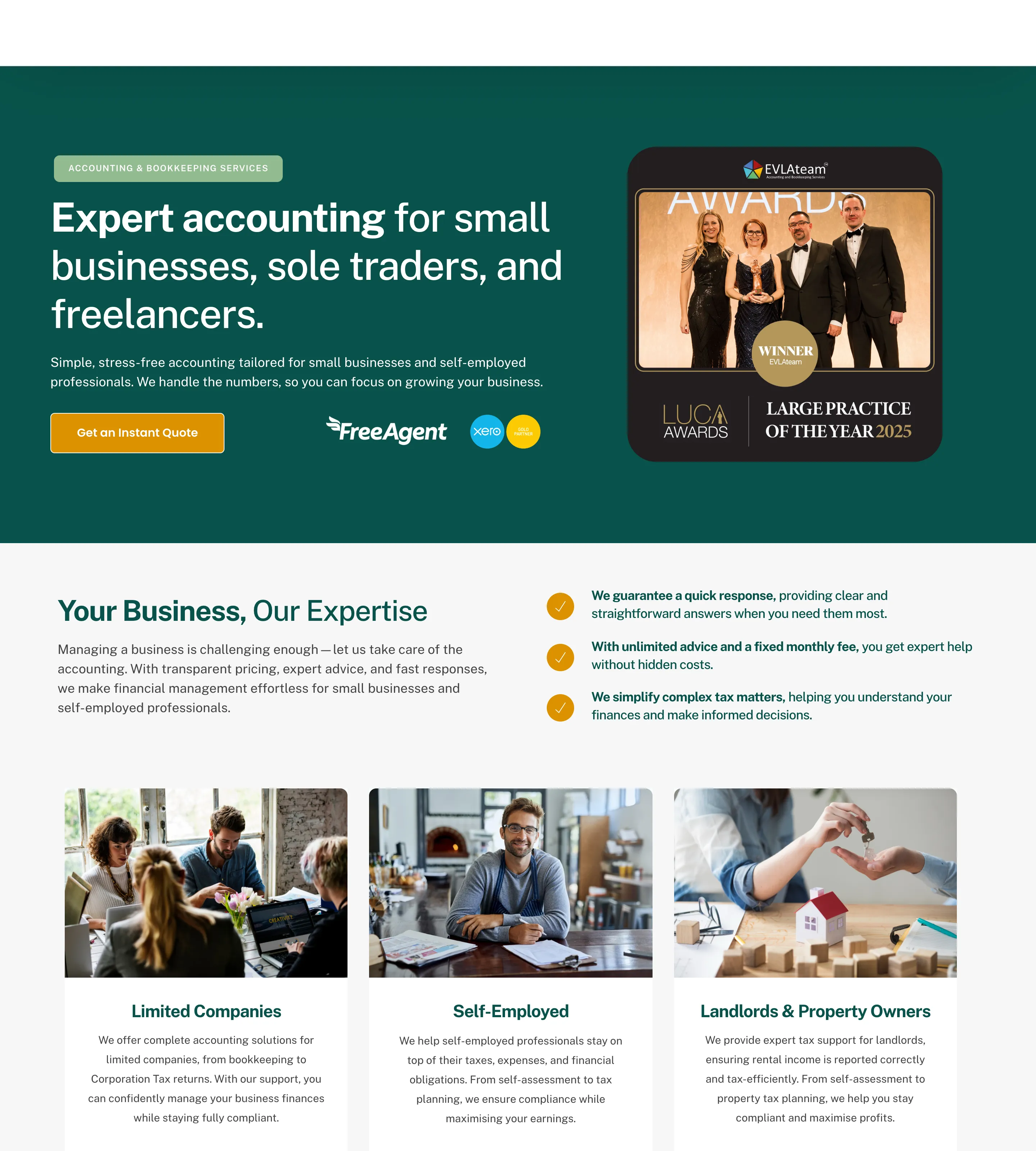
For an accountant, the first question a new client has is almost always “how much will this cost me?”. This homepage answers it with its main action. The hero names who the firm is for, small businesses, sole traders and freelancers, and then offers one button: “Get an Instant Quote”, in amber against a deep green background.
There is no competing button in the hero, and no vague “Contact us”. The button promises exactly what the visitor came for, and the word “instant” lowers the effort of clicking it. For a service that is priced per client and usually sold through a conversation, a quote is a softer first step than a call, and it suits the self-employed visitors the page is speaking to.
Takeaway: For services priced per job, make the main action a quote, and say plainly how quick or easy it is to get one.
Join or find: Strive Fitness
Strive Fitness
Fitness
Made with WordPressCaptured
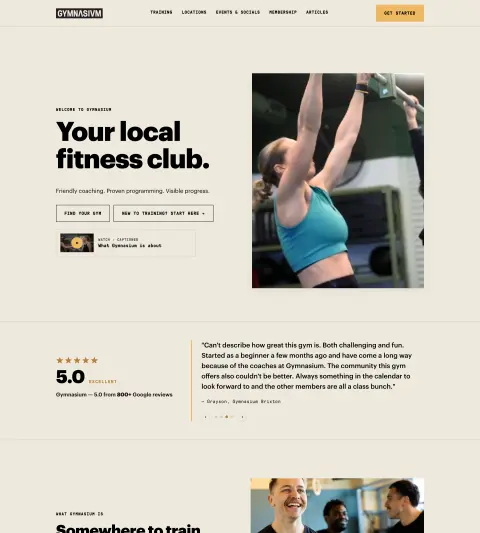
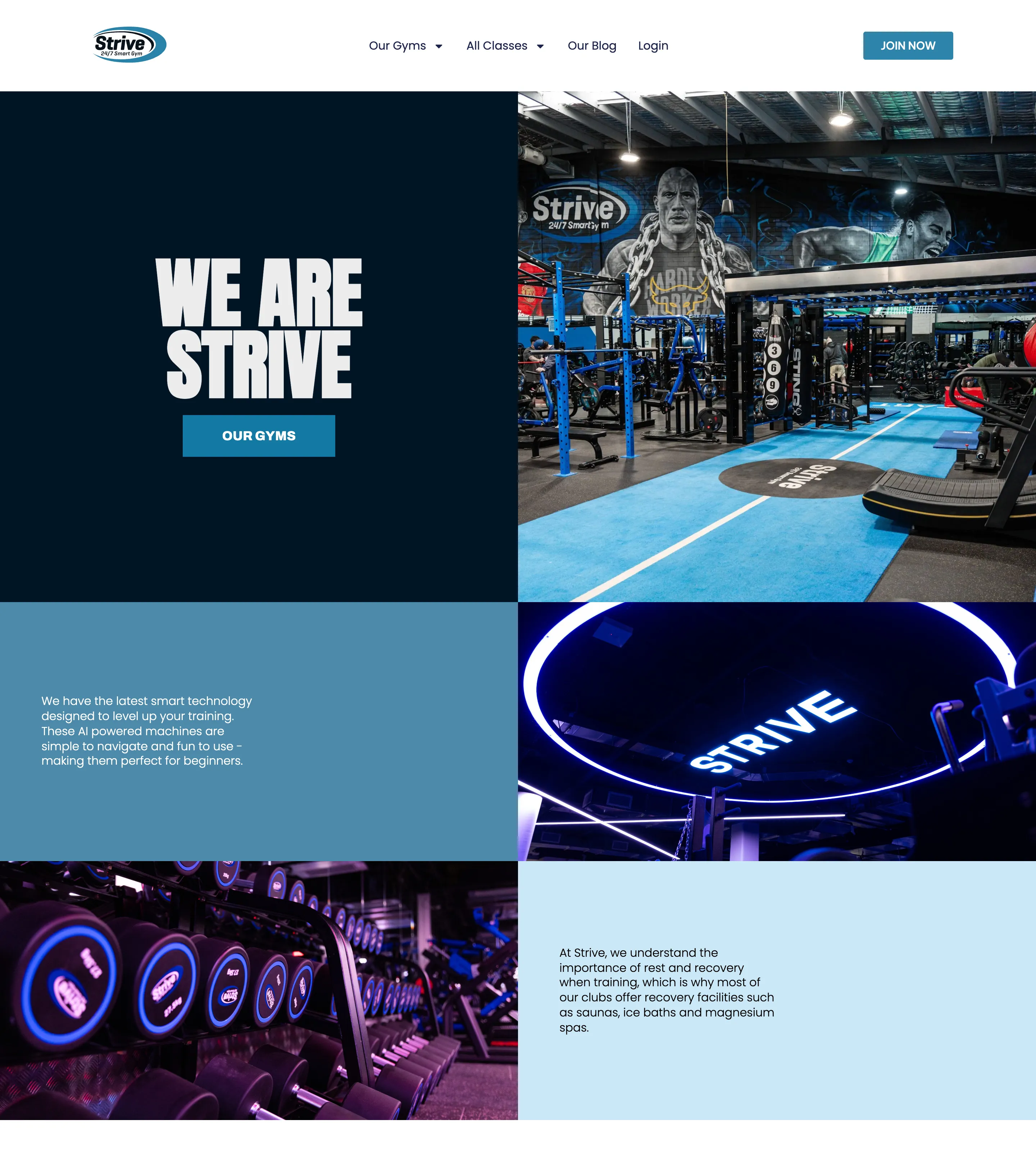
Joining a gym is a commitment, and most people want to see the place first. Strive splits the action by readiness. “Join now” sits in the header, a blue button for anyone who has already decided. The hero, though, offers the softer step: a bold “WE ARE STRIVE” with a single “Our gyms” button underneath, for people still choosing which location suits them.
The reviews further down are labelled by gym location, which ties back to the same idea: the site expects visitors to think about the gym nearest them before they commit, and it helps them do it.
Takeaway: When the main action is a big commitment, keep it in the header for the ready and put a smaller first step in the hero for everyone else.
One main action, one fallback
All four sites follow the same rule, even though their answers differ. There is one main action, styled as the strongest button on the page, and at most one fallback, styled more quietly.
That matters because two buttons of equal weight hand the decision back to the visitor. If “Book online” and “Call us” look identical, the visitor has to stop and decide which is right for them, and some will decide to leave. Make one solid and the other an outline or a text link, and the page has made the decision for most people while still serving the rest.
The phone number deserves a special mention. Even when booking leads, keep the number visible, in the header or right under the main button, and make sure it is a real link. On a phone, a number that cannot be tapped is just a number to copy down, and that is one more step between the customer and the business.
The mistakes I see most
These come up on local business sites again and again, and they are all easy to fix.
- “Contact us” as the only button. It asks the visitor to work out what contacting you involves. Name the action instead: book, call, get a quote.
- Phone numbers that cannot be tapped. On a phone, the number should dial when touched. It sounds obvious, and I still see it missing all the time.
- Five equal buttons in the hero. If everything is a button, nothing is the main action. Pick one, and let the navigation handle the rest.
- A different label every time. “Book now”, “Make an appointment” and “Schedule a visit” on one page look like three different things. Use one label for one action.
- Vague labels. “Submit”, “Learn more” and “Click here” tell the visitor nothing about what happens next.
Keep going
The main button is one of six jobs every homepage has to do. For the other five, see local business homepage design: 6 jobs it has to do. Browse more examples in the restaurant, dentist, accountant and fitness categories, and every Friday the newsletter sends five of the best new finds.
Frequently asked questions
Should the main button on a local business website be call or book?
It depends on the job. If the need is urgent or the customer has to talk it through, lead with the phone. If the service is routine and fits a fixed time slot, lead with online booking. Either way, keep the other option visible as a quieter fallback.
Should I still show the phone number if the site has online booking?
Yes. Some visitors will always prefer to call, and some questions need a conversation. Keep the number visible in the header or just under the main button, and make sure it can be tapped on a phone.
What should a call to action button say?
Name the action and the thing: Book a table, Request an appointment, Get a quote, Find your gym. Avoid labels that could mean anything, like Submit, Learn more or Contact us.
Can a homepage have two calls to action?
Yes, as long as one is clearly the main one. Two buttons of equal weight make the visitor choose before they are ready. Give the main action the solid button and the second a quieter style, such as an outline or a text link.