Local Business Homepage Design: 6 Jobs It Has to Do
Local business homepage design, broken into the six jobs every homepage has to do, with a real example of each from clinics to restaurants and gyms.
9 min read
Most guides to local business homepage design are checklists: add a headline, add a call to action, add testimonials, add a map. They are not wrong, but they treat a homepage as a list of parts. A better way to think about it is as a set of jobs. Every section should earn its place by doing something a visitor needs done, and if it does nothing, it can go.
After years of building for local and service businesses, and collecting the best examples I can find, I keep coming back to the same six jobs. Here they are, each with one real site from the gallery that does that job especially well, from six different kinds of business.
Job 1: Say what you do, and where
A visitor should know within a few seconds what the business does, who it is for and whether it serves their area. For a local business, the “where” matters as much as the “what”. A lovely headline that could belong to a company in any city is a missed opportunity.
Enhanced Movement
Fitness
Made with WordPressCaptured
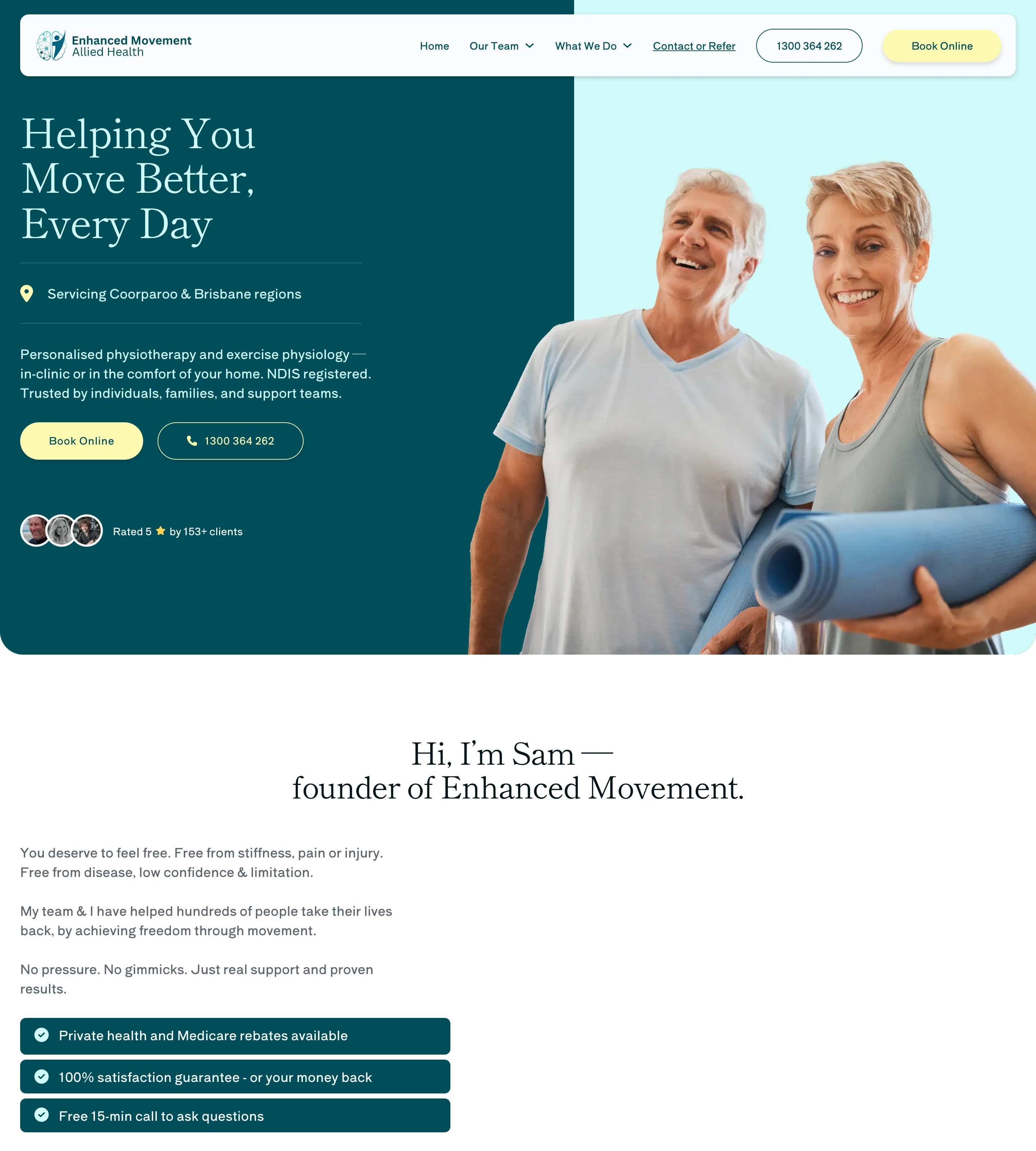
Enhanced Movement Allied Health, Brisbane. The hero is a clean split: a deep teal panel on the left, a bright photo on the right. The serif headline sets the tone, but the work is done just below it, where a location pin and the line “Servicing Coorparoo & Brisbane regions” sit between two hairline rules. Framing that one line makes it read like a label rather than small print. A short paragraph then names the actual services, physiotherapy and exercise physiology, in the clinic or at home. By the time the eye reaches the buttons, the visitor knows what this is, where it is and whether it can help.
The two buttons are worth noting too: “Book Online” in a soft yellow pill and the phone number in an outlined one beside it. Both are repeated in the header, so the two ways to get started are always in view.
Job 2: Make the next step obvious
Every local business wants a visitor to do one thing next: call, book, ask for a quote, find a location. The homepage should make that step impossible to miss. Sometimes there are genuinely two kinds of visitor, and then the best homepages give each one their own route rather than one vague button.
Gymnasium
Fitness
Made with CustomCaptured
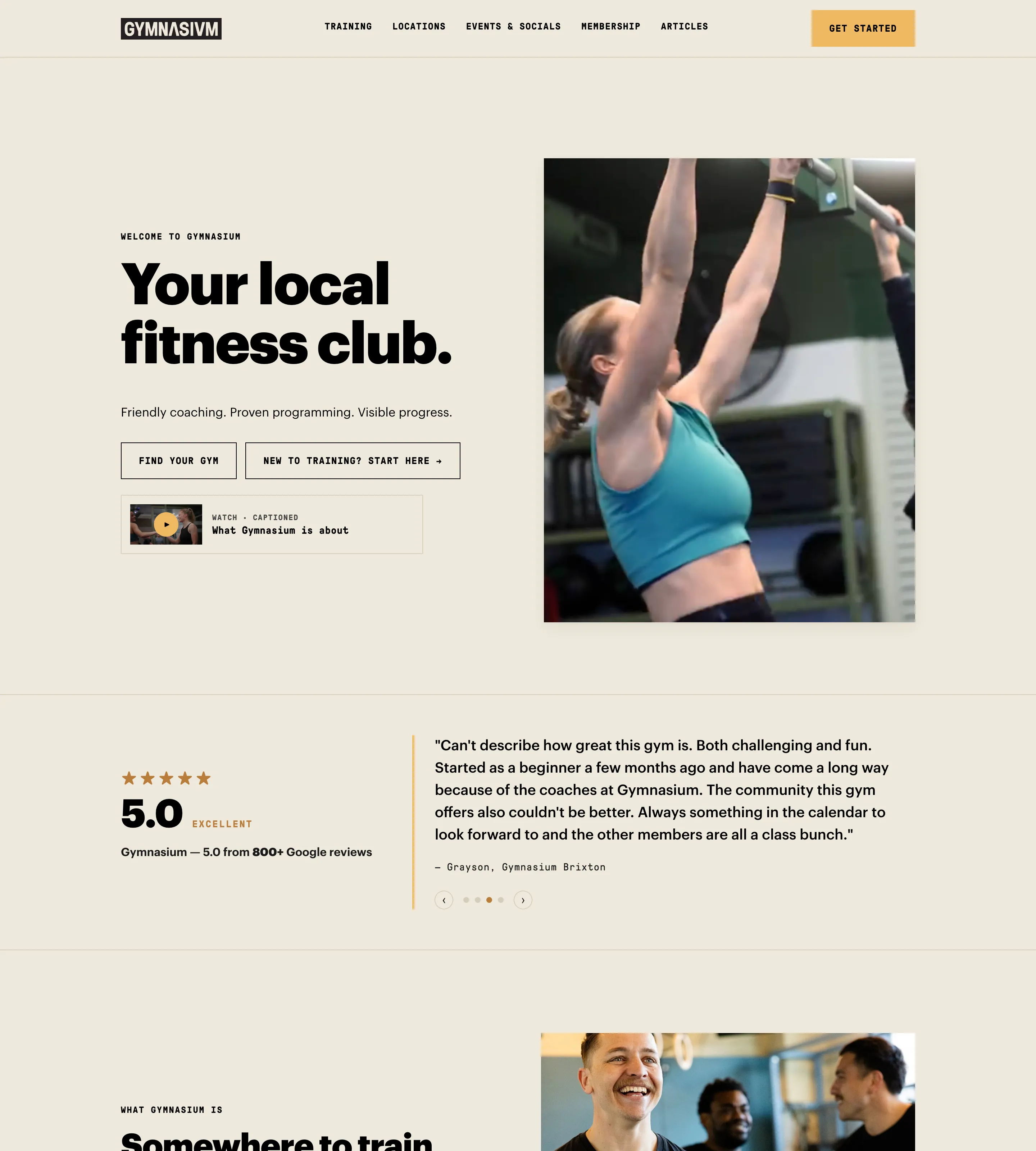
Gymnasium, London. The headline is plain and confident, “Your local fitness club.”, on a warm oatmeal ground with heavy, tightly set type. Under it, instead of a single “Join now”, are two outlined buttons: “Find your gym” for people who already know what they want, and “New to training? Start here” for people who are nervous about walking in. That second button is a small piece of real UX thinking. It speaks directly to the visitor most likely to leave.
The header keeps one bright “Get started” button in the corner, and the section after the hero is a large rating with a named review beside it. The next step is clear, and the reason to take it follows straight away.
Job 3: Help them choose
Many local businesses offer more than one thing: several treatments, several venues, several services. The homepage does not need to list them all, but it should help a visitor find their way to the right one quickly.
The Oriana
Restaurant
Made with WordPressCaptured
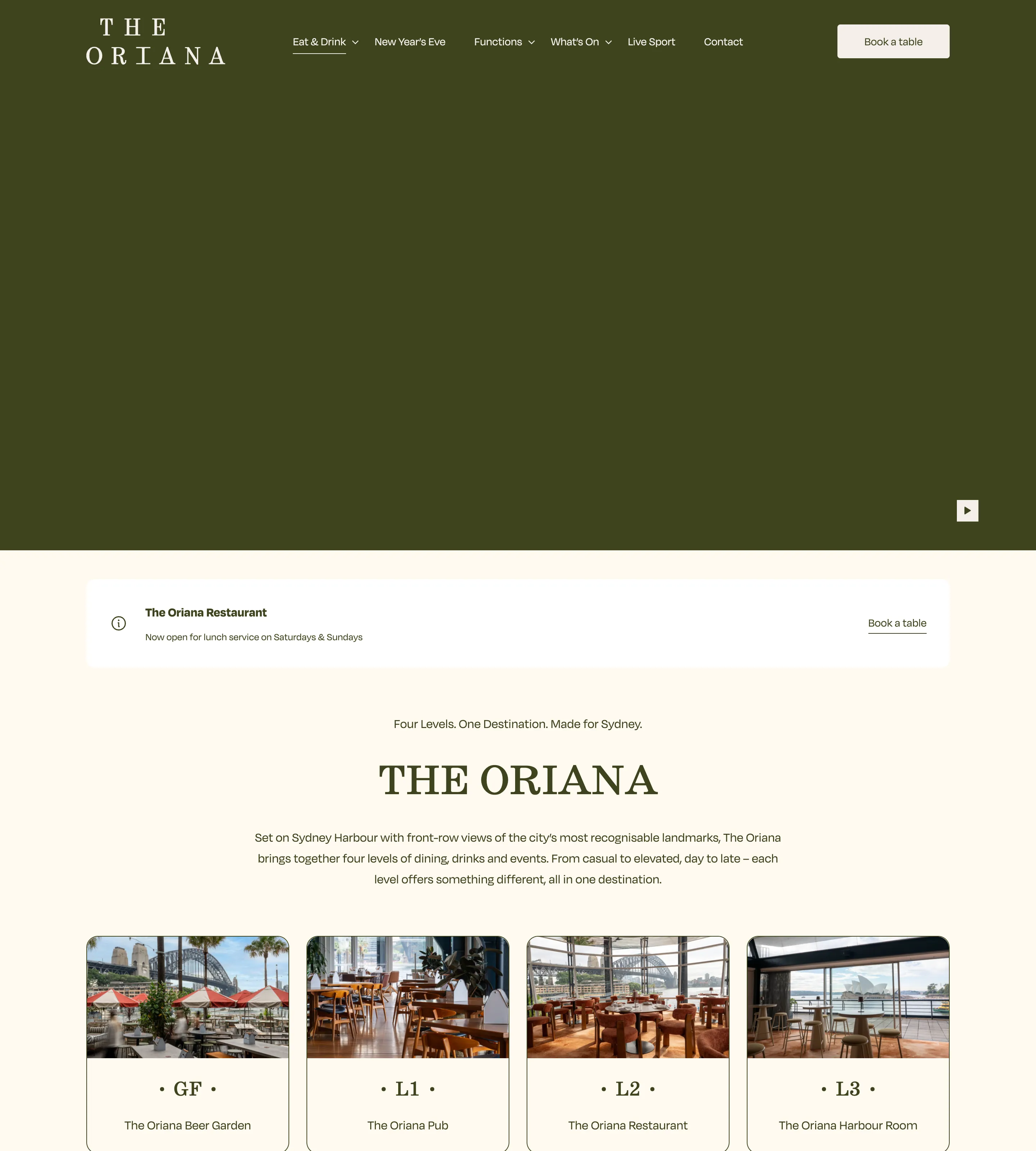
The Oriana, Sydney. A four-level venue on the harbour could easily be confusing. The homepage solves it with four equal cards, each with a photo, a venue name and a floor label set large: GF, L1, L2, L3. It turns a building into a menu. You can see at a glance that the beer garden is on the ground floor and the restaurant is two floors up, and choose accordingly.
Below the cards, three simple routes do the rest: book a table, eat and drink, celebrations. Each has a small hand-drawn illustration and a single arrow, which gives the page warmth while keeping the choices to three. A dark green band further down then lists opening hours by venue, so the choice and the practical detail sit close together.
Job 4: Prove it
A stranger is deciding whether to trust a business they have never used. The homepage has to give them a reason: reviews, recognisable clients, credentials, real results. The strongest proof is specific and appears early, not buried in a testimonials page.
Numbers Studio
Accountant
Made with WebflowCaptured
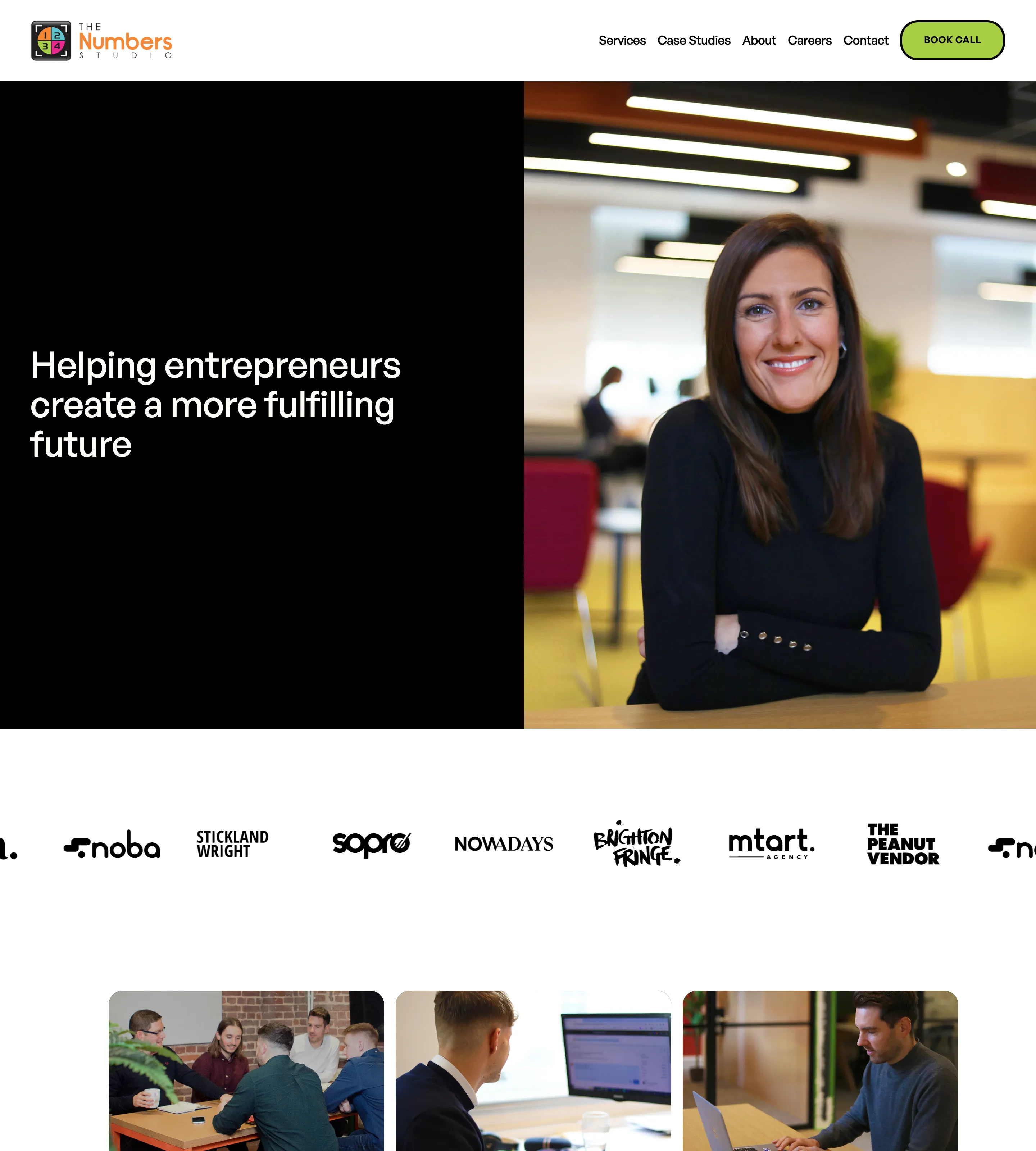
The Numbers Studio, Brighton. Right under the split hero, before any services are explained, a strip of client logos scrolls across the page. For an accounting practice that works with growing businesses, real client names are the most persuasive opening there is. The three cards that follow each use a real photo of the team at work, which supports the same point from another angle: these are actual people, in an actual office.
Further down, case studies are presented with photos of Brighton itself, which ties the proof back to the place. A bright pink “Book consultation” button appears after each section that makes the case, so the visitor is never more than a scroll away from acting on it.
Job 5: Show the real thing
Stock photography is the fastest way to make a local business look like every other one. The homepage should show the actual premises, the actual people and the actual work. It is the closest a visitor can get to walking through the door.
Supernormal
Restaurant
Made with SquarespaceCaptured
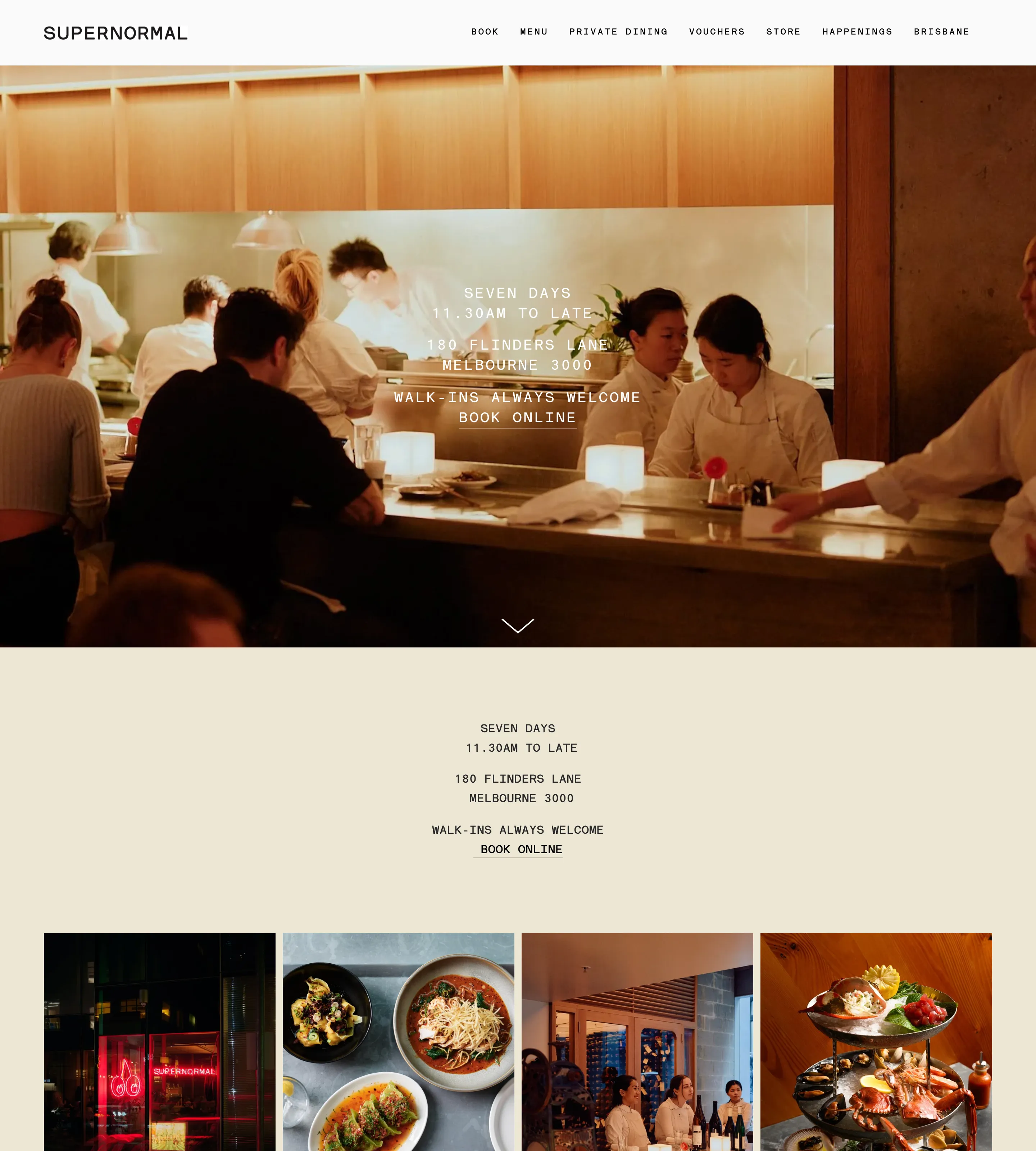
Supernormal, Melbourne. The hero is the restaurant’s own kitchen counter, with chefs at work and diners at the bar, shot warm and slightly dim. Small monospaced type sits over it with only the essentials. Then, after a short repeat of that information on a cream background, comes a tight grid of eight photos: the neon sign in the window, the dining room, the bar, and plate after plate of food. No slogans, no stock, just the place.
It is a confident approach. The restaurant assumes, rightly, that seeing the food and the room will do more than any description could.
Job 6: Answer the practical questions
Where are you? When are you open? How do I get in touch? These are the least glamorous questions on a homepage and some of the most important. A visitor who cannot answer them quickly will often pick a competitor who can.
Cityskin Cosmetic Clinic
Clinic
Made with WordPressCaptured
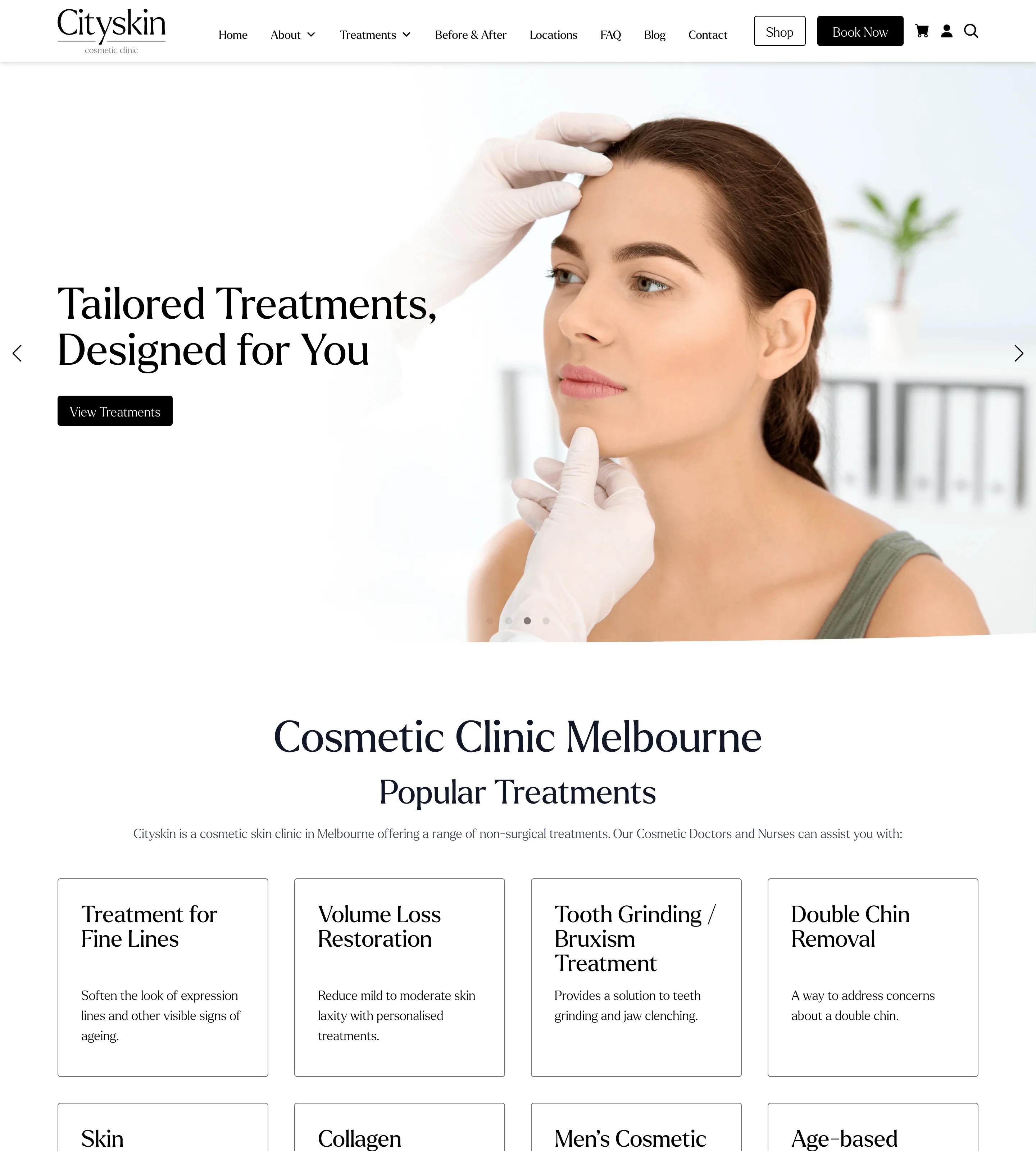
City Skin, Melbourne. With seven clinics across the city, the practical question is “which one is near me?”, and the homepage answers it head on. A Clinic Locations section lays out seven plain cards, each with the clinic’s name, the building it is in and the full street address, plus a “Learn more” link. No map to load, no dropdown to open: every address is readable at once.
Above the cards, a short note explains that consultations for new patients are free and how to book one, and the footer repeats the phone number, email and a booking link. It is not the most exciting section on the page, and that is the point. It just works.
Putting the jobs in order
Every local homepage needs all six jobs, but not in the same order. The order depends on what the visitor most needs first.
| Business type | Lead with | Why |
|---|---|---|
| Emergency trades (plumber, locksmith, electrician) | Job 2, then job 6 | The visitor has a problem now. The phone number and service area matter more than anything else. |
| Restaurants, cafes and pubs | Job 5, then job 6 | People choose with their eyes, then need hours, address and booking. |
| Clinics, dentists and aesthetics | Job 1, then job 4 | Visitors need to know the service is right for them and trust the people delivering it. |
| Professional services (accountants, lawyers) | Job 1, then job 4 | Expertise is hard to judge in advance, so clarity and proof come first. |
| Gyms and studios | Job 2, then job 5 | Two kinds of visitor, members and beginners, and a strong sense of the space. |
The jobs further down the list do not disappear. They just move below the fold.
What a local business homepage does not need
Knowing what to leave out is half the work. Most homepages would be better without:
- A slogan that says nothing. “Excellence in everything we do” could belong to anyone. Say what you do and where instead.
- Several messages competing in a rotating hero. If an important message is on the third slide, most people will never see it.
- Every service in full. The homepage should help visitors choose, then send them to the right page for detail.
- Stock photos of people who do not work there. Real photos of an ordinary office beat polished photos of strangers.
- Contact details hidden on a contact page. Phone, address and hours belong on the homepage, at least in the footer.
A quick test for any homepage
When you review a homepage, your own or a client’s, turn the six jobs into six questions and give someone who has never seen the site ten seconds with it on a phone. Then ask them:
- What does this business do, and where?
- What would you tap next?
- If you wanted something specific, where would you go?
- Why should you trust them?
- What does the place, or the team, actually look like?
- When are they open, and how do you reach them?
Any question they cannot answer points to a job the homepage is not doing. It is a crude test, and it is not a substitute for real analytics, but it is quick and it is honest. It also makes a useful conversation with a client, because it moves the discussion away from “I don’t like the blue” and towards what the page is for.
The six examples above all pass it, in very different styles: a physio with a split hero, a gym with two routes, a harbourside pub with a floor plan for a menu, an accountant leading with client logos, a restaurant that lets its kitchen do the talking, and a clinic that simply lists every address. None of them needed an effect to do it.
Keep going
For a method for finding references like these for your own clients, see web design inspiration for clients in “boring” industries, and for how sites get into the gallery, see how we choose the websites in Ordinary Websites. Browse more clinics, restaurants, accountants and gyms and fitness studios, and every Friday the newsletter sends five of the best new finds.
Frequently asked questions
What should a small business homepage include?
Whatever does six jobs: says what the business does and where, makes the next step obvious, helps visitors choose, proves the business is good, shows the real place and people, and answers the practical questions like hours and location. Anything that does none of those can probably go.
How many calls to action should a homepage have?
One main action, repeated. Most local businesses have a single thing they want visitors to do, such as call, book or ask for a quote. Put it in the header and the hero, then again after the sections that build the case. A second, quieter option is fine when there are genuinely two kinds of visitor.
Should a local business show prices on its homepage?
Often, yes, at least as a starting price or a link to a clear price list. It answers one of the first questions a visitor has. Where prices really cannot be fixed, say how pricing works instead.
What should go above the fold on a local business homepage?
What the business does, where it does it, and the main action. If there is room, one line of proof such as a rating. Everything else can wait for the scroll.